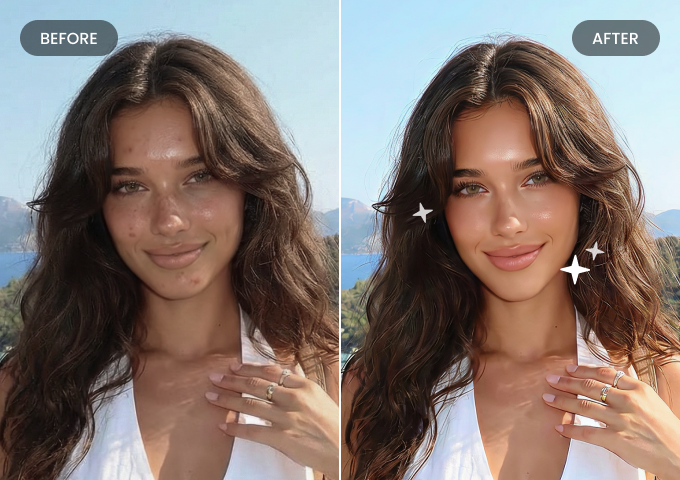
Face & Skin Retouch
Enhances facial features and smoothes skin while preserving natural appearance and texture.



Use BeautyPlus image editing API and Skills to streamline workflows, boost efficiency, and make your products stand out.


Use BeautyPlus image editing API and Skills to streamline workflows, boost efficiency, and make your products stand out.
Works with AI Agents



Enhances facial features and smoothes skin while preserving natural appearance and texture.
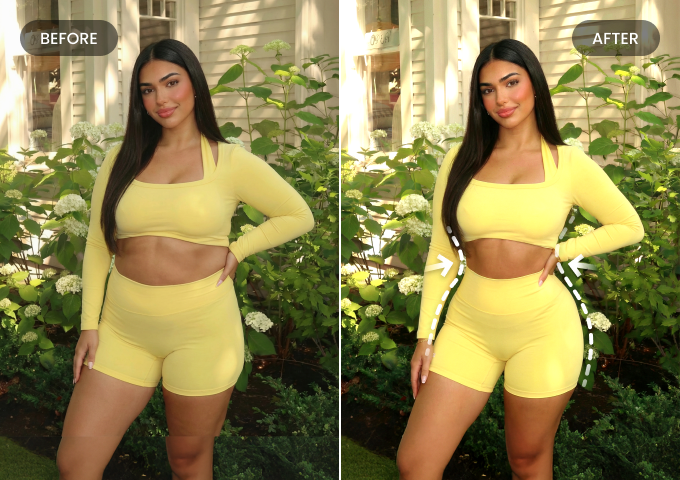
Adjusts body shape for more balanced and pleasing proportions.
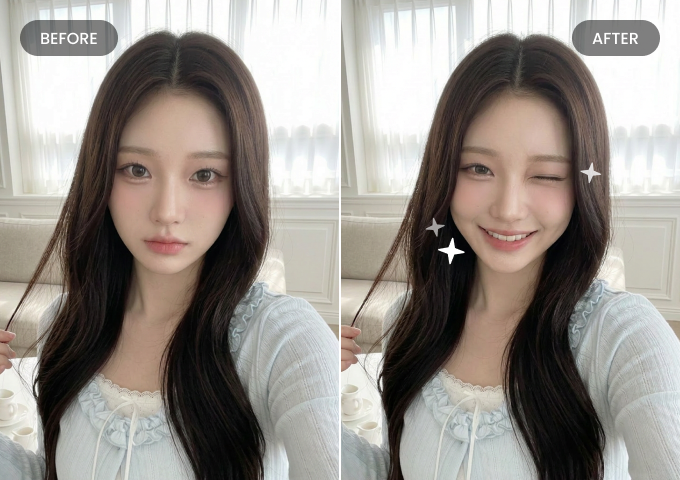
Switches between a wink, a smile or a neutral expression while maintaining consistent identity and features.

Our image editing API delivers reliable, high-quality results across different photos. Process entire batches and achieve consistent enhancements and effects across all of your images.
Chain multiple effects on a single image, like restore, retouch, then outfit swap, creating a seamless multi-step photo editing pipeline without switching systems.
BeautyPlus API can handle large-scale batch processing, ensuring stable, consistent results even under high concurrent request volumes.
We provide transparent, pay-as-you-go pricing without hidden fees. You can easily forecast and control project costs, staying on budget.
Get 500 BeautyPlus Credits/mo
Get 500 BeautyPlus Credits/mo
Custom API solution for enterprises with high volume, tailored needs, and dedicated support.
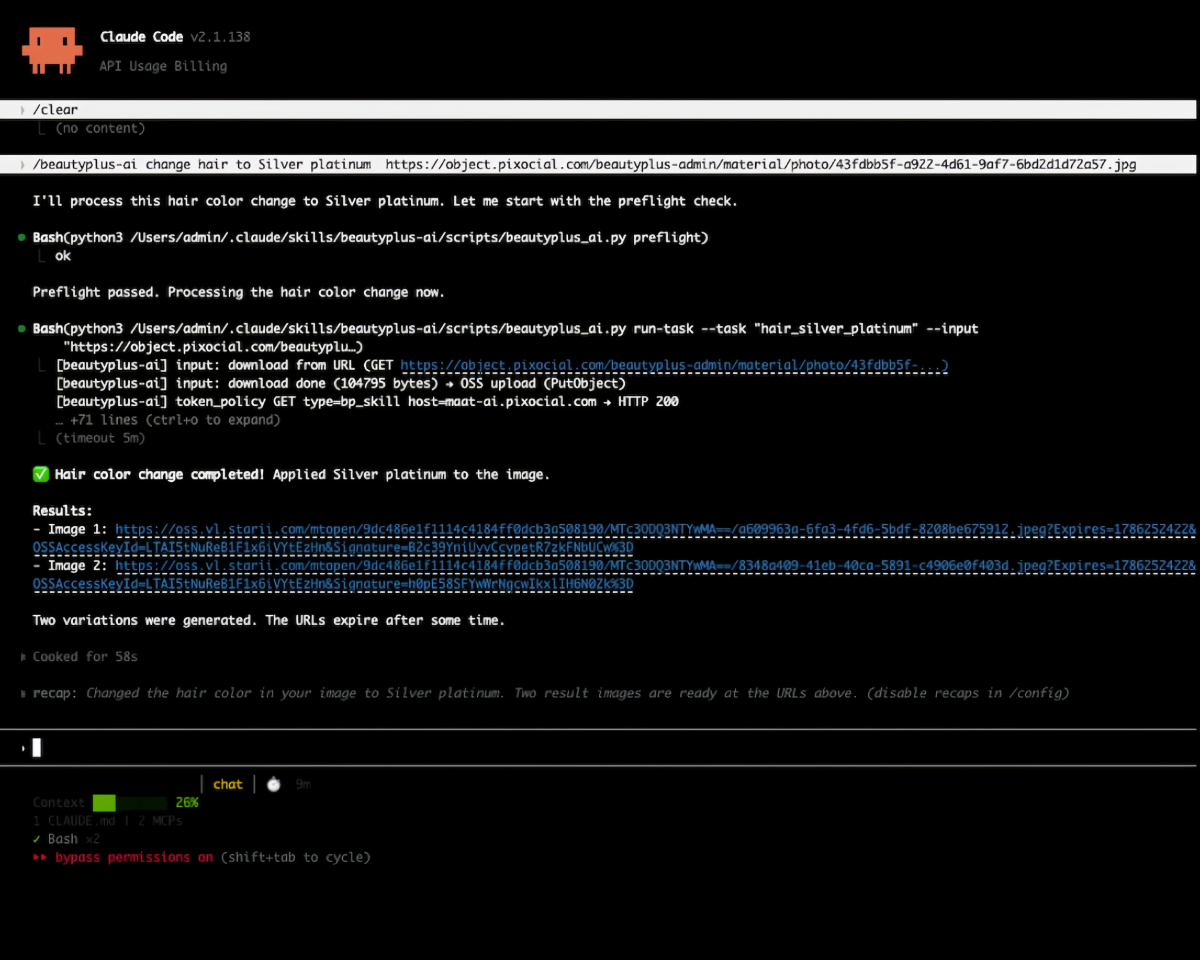
Sign up for an account and start a subscription to get a BeautyPlus API key. You can then make requests via SDK or SKILL. Integrating BeautyPlus API or skills with your agent should only take a few minutes.
Bring the power of BeautyPlus API for automated large-scale AI photo editing to your apps and projects.