
10 Photo Booth Apps for Phones & PC 2026
Key Takeaways
- BeautyPlus, Webcam Toy, and Virtual Booth are all online photo booth options, with BeautyPlus and Webcam Toy being the only free-to-use options.
- BeautyPlus photobooth feature on its app goes by PuriPlus entailing multiple templates, filters and editing options.
- 360 booth support, branding, and sharing options are featured in LumaBooth and Snappic. Photo booth apps like these are usually opted for events like weddings and parties because of their interactive options.
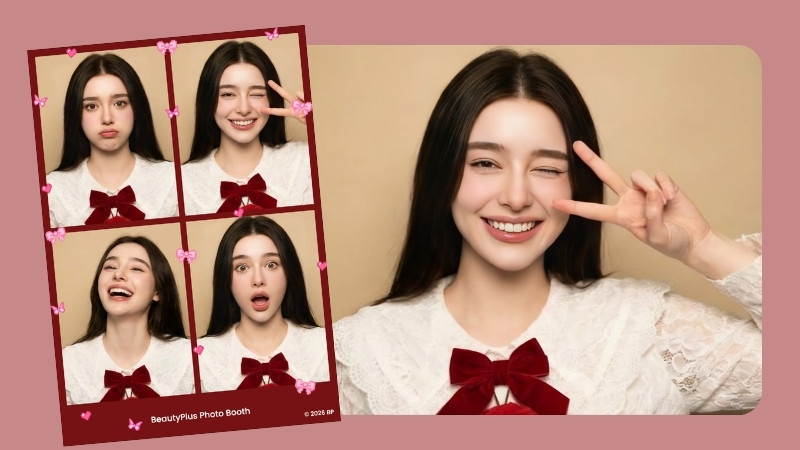
Remember what it was like to go to a carnival and squeeze into those tiny photo booths to take fun photos of your little day trip? Or the photo booth sessions at birthday parties and proms? Those rickety cameras don’t compare to the quality, resolution, and filters we’re used to today, but something about them makes for such a unique aesthetic that is both appealing and deeply nostalgic. If you want to have those experiences, or perhaps relive them, try out these photo booth apps, tools, and software to design your own photo strips.
 Download on App Store
 Get It on Google Play
Part 1: 3 Online Photo Booth Apps
The internet has made everything you could possibly need widely accessible, which is why you don’t need an old camera or have to scavenge your local theme parks for a photo booth. Now you can recreate the experience at home with online tools at your disposal.
BeautyPlus
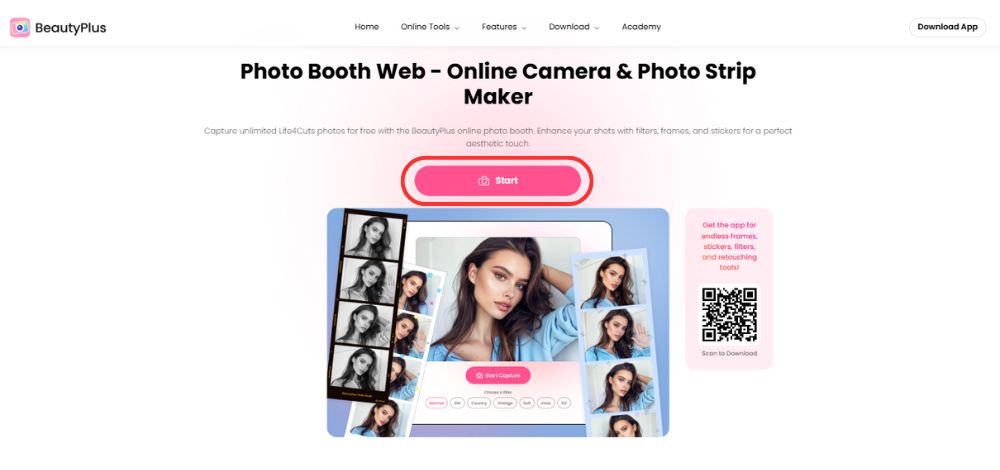
BeautyPlus is amongst some of the most versatile online beauty tools you can find, with over 50 individual online editing tools and hundreds of AI filters to choose from to take any photo to the next level. It also features a DIY photo booth webcam that you can use to take photos in whatever format you prefer, using your laptop or tablet camera, and then edit the results using cute stickers to dot all over the strip.
Webcam Toy
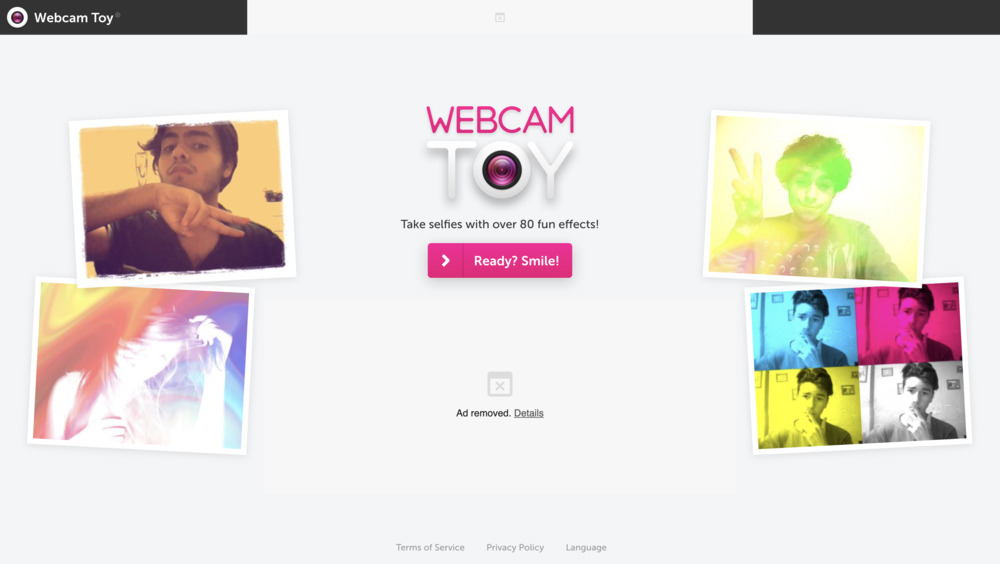
Webcam Toy brings back some of the nostalgia of photo booths, but with the convenience of modern online tools. It is the most fun to use out of the bunch because it is exclusively made to be a photo booth camera and features over 80 effects to use while clicking away. You don’t need to download any software onto your computer or get a photo booth app for iPad; simply look up Webcam Toy in your browser, and it’s ready to use, which makes it perfect for casual use. Ready? Smile.
Virtual Booth
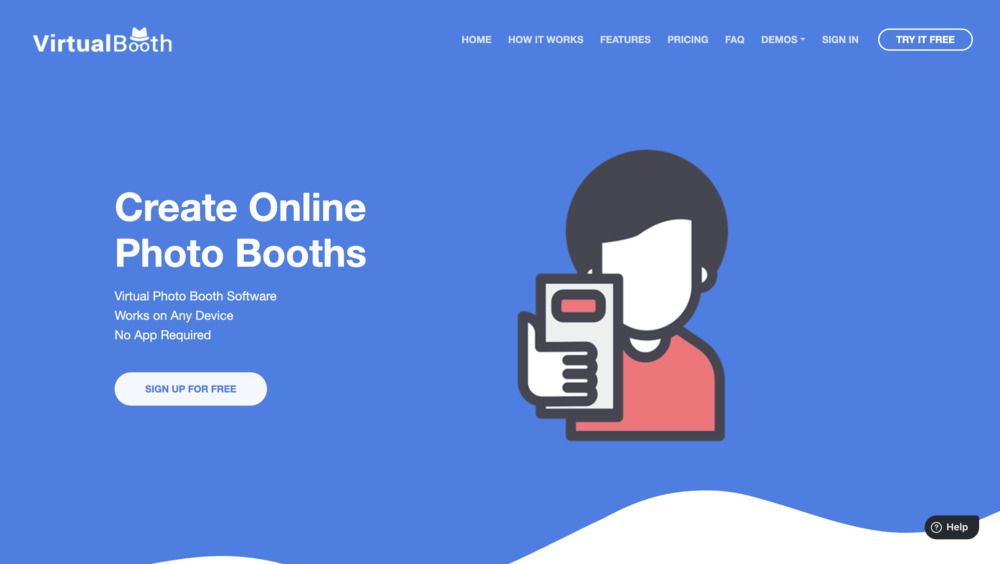
The name couldn’t be more on the nose than this one. Virtual Booth is a more polished approach to the standard photo booth online tools because you are going to be using it primarily for online events or virtual gatherings. It allows users to log in from any device and participate in the photography session from anywhere. Think of disposable cameras in wedding parties, where everyone is a participant and can contribute. Virtual Booth is the same concept, but digitized, and for fun photo strips.
Part 2: How We Tested
Online photo booths are one of those things you open when you are bored or just want something fun to do, especially when you have friends over. But the experience needs to feel as smooth as it sounds. That is why we looked at a bunch of factors before picking the best photo booth apps, so your flow does not get ruined midway.
1. Photo quality
What is the point if the images come out blurry? Sure, there is some charm in that vintage, slightly grainy look, but even the best iPad photo booth apps should at least give clean, webcam-level output. Anything worse will not make the cut.
2. Simple to use
It should not be complicated at all. Open it, pose, click. That is it. The best photo booth apps for iPad or even simple browser-based tools should not make you dig through menus.
3. Filters and layouts
Most apps for photo booth come with filters and layouts, but not all are good. We looked at which ones actually look fun and creative, not just random effects slapped on.
4. Speed
Everything falls apart if it lags. You smile, and then you are stuck waiting for two minutes. No one wants that. The best photo booth apps for parties, even apps for 360 photo booth, should be quick and smooth with no crashes.
5. Privacy
Are your photos being saved in some server? What are the privacy policies of these apps? We checked how different photo booth apps handle your files so you do not have to stress about it.
Part 3: Best Photo Booth Apps
The internet has made everything you could possibly need widely accessible, which is why you don’t need an old camera or have to scavenge your local theme parks for a photo booth. Now you can recreate the experience at home with online tools at your disposal.
Comparison Table
Right off the bat, here are the photo booth apps we are looking at today, along with what they do best, where you can use them, how much they cost, and how they actually hold up.
| Tool | Key Benefits | Platform | Pricing | Rating(1-5) |
|---|---|---|---|---|
| BeautyPlus | Photo booth tool, filters, glow control, stickers, frames, photo editing features | Browser, iOS, Android | Online photo booth is free. BeautyPlus app is free to download, but Premium/Pro features start at $7.99 | 4.7 |
| LumaBooth | Event booth setup, templates, GIFs, videos, 360 support, deeper controls | iOS | Free trial with watermark, paid subscription needed for live events | 3.7 |
| PocketBooth Party | Vintage photo strips, AirPrint, party mode, booth skins, filters | iOS | $19.99 one-time app purchase | 4 |
| Snappic | Pro event system, AI effects, 360 booth, robot arm, instant sharing, branding | iPad, 360 booths, mirror booths, roaming booths, robot setups | booths, roaming booths, robot setupsStarts at $29 per event or $69/month | 4.5 |
| Simple Photo Booth | Quick online booth, basic grids, simple capture | iOS | Free | 3.5 |
| Apple Photo Booth | Built-in Apple tool, quick photos/videos, live effects, easy sharing | macOS, iPad | Free on supported Apple devices | 4.3 |
BeautyPlus

BeautyPlus is one of those free photo booth apps you can jump into without overthinking. Its online photo booth is completely free, and you can open it right in your browser on an iPad or laptop, which makes it a lot more convenient compared to most photo booth apps for iPad.
Getting started is simple. You open it, pick your grid layout, add filters, and even tweak the glow if you want a bit more control over lighting. That small touch makes a difference because most apps for photo booth keep things basic. You can also set the timer between shots, so it actually feels like a real booth session.
You also get access to cute stickers, frame colors, and you can keep taking shots without limits. It is simple, fun, and does exactly what you expect from the phenomenal photo booth app.
On the privacy side, it is safe enough for casual use. Photos may be processed through their system to apply effects, but they are mainly used to deliver the feature properly, not for anything intrusive.
Features
- Free online photo booth, no install needed
- Works on browser (iPad and laptop)
- Grid layouts with timer control
- Filters and adjustable glow (lighting control)
- Stickers and frame color options
- Unlimited retakes and quick processing
LumaBooth

LumaBooth is more of an event-style setup than a casual tool. It lets you run a full photo booth experience on a big screen without needing a physical booth, which makes it great for parties, weddings, or birthdays. On paper, it sounds like one of the more complete apps for photo booth, especially if you are planning events.
You get support for GIFs, boomerangs, and even videos, plus a huge library of 800+ templates. It also gives you deeper control than most tools, like countdown timing, sensitivity, image quality, file size, presets, and recording duration.
For privacy, they claim not to collect user data, which makes it feel safe enough for event use.
Features
- Works on iPhone, iPad, and Mac
- 60+ photo booth setups
- Supports GIFs, boomerangs, and video booths
- 800+ templates and layouts
- Advanced controls (countdown, quality, size, presets)
- Email-based access and sharing
Pocketbooth
PocketBooth is exactly what it sounds like, a photo booth you keep in your pocket. It is only available on iOS, so you can run it on an iPhone or iPad. You can still use it for small setups by screen sharing your shots, which works well for casual events.
It leans into that vintage 90s photo strip look but mixes it with modern touches like custom templates, fonts, colors, and layout tweaks. You can even AirPrint your strips, which makes it feel closer to a real booth experience. Something to keep in mind is that it does collect user data for tracking and functionality, so it is not the most private option out there.
Features
- iOS-only (iPhone and iPad)
- Vintage-style photo strips
- Custom templates, fonts, and colors
- AirPrint support for physical prints
Apple Photo Booth
If you want something really simple and do not want to go through a bunch of options, Apple Photo Booth is probably the closest thing at hand. It feels familiar, easy, and right at home since it comes built into macOS.
You just open it, see yourself on screen, and start clicking. No setup, no learning curve. It gives you basic effects, a countdown, and even that classic photo strip feel.
Features
- Built-in on macOS
- Basic photo and video capture
- Simple effects and filters
- Instant preview
Simple Photo Booth

Simple Photo Booth sits in that classic category of tools that have been around longer than most newer options. It feels old-school, but that is also why it works. If you just want something quick without learning anything, this is one of those tools you can open and use right away.
You get a built-in flash-style effect and a couple of grid options, but do not expect modern templates or heavy customization like newer tools. It is more for someone who just wants a fast, free solution and isn’t much interested in the gimmicks.
Features
- Very simple interface
- Basic grid layouts
- Built-in flash-style effect
- Quick capture and download
Snappic

If you want to go big with photo booths, Snappic is a complete system rather than just one of the usual 360 photo booth apps, especially if you are thinking beyond casual use. It is more of a full event platform than just another tool. You can run a live event setup for around $29, and it gives you a premium, almost production-level experience.
You can run mirror booths, roaming setups, iPad booths, full 360° video booths, and even robotic arm setups. It is built to handle everything from small gatherings to large-scale events and even enterprise use.
Features
- Supports mirror, roaming, iPad, and 360 booth setups
- AI-powered effects and advanced templates
- Instant sharing via SMS and email
- Works with robotic and automated booth systems
- Custom branding and event personalization
- Designed for both small and large-scale events
Part 4: How to Create an Online Photo Booth?
If you don’t have your photos ready but have the time for a fun little photo session, you might as well try out using your device camera like a make-shift photobooth. Here is how you can do that using the BeautyPlus online tool.
Step-by-Step Guide
- Click “Start” and give the tool camera access.
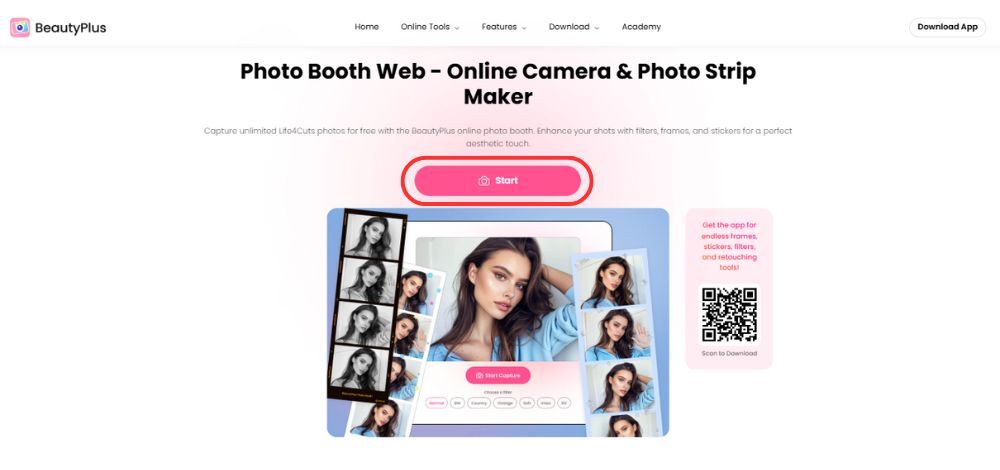
2. Choose your favorite filter, adjust the number of photos in the frame, and adjust the timer to give yourself a reasonable amount of time to pose before the camera ‘clicks’.
3. Click on “Start Capture” to take your photos.
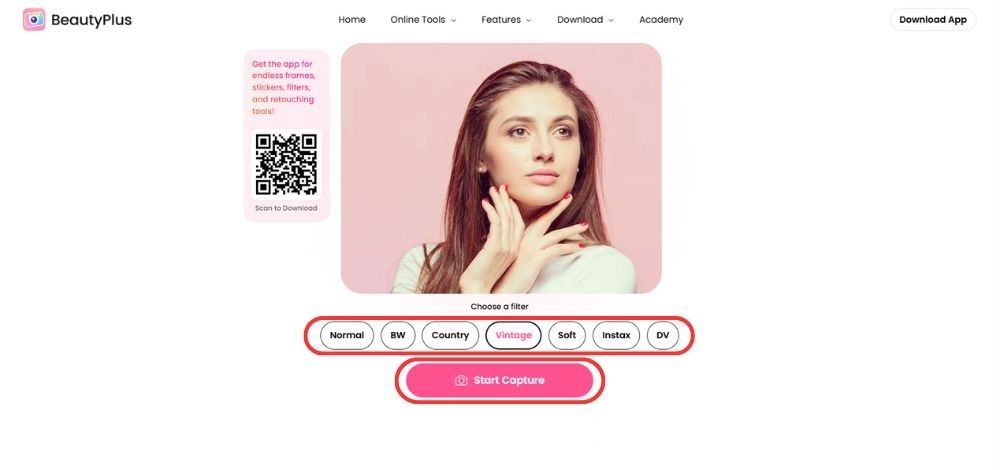
4. Customize as needed with stickers and download your creation.
Part 5: How to Create Photo Booth on your Phone?
The BeautyPlus app is by far the most versatile out of the entire selection. It combines the convenience of an app, the editing features of BeautyPlus, and the collage effects of an actual photo booth. Here is how you can use the BeautyPlus app to make fantastic photo strips.
Step-by-Step Guide
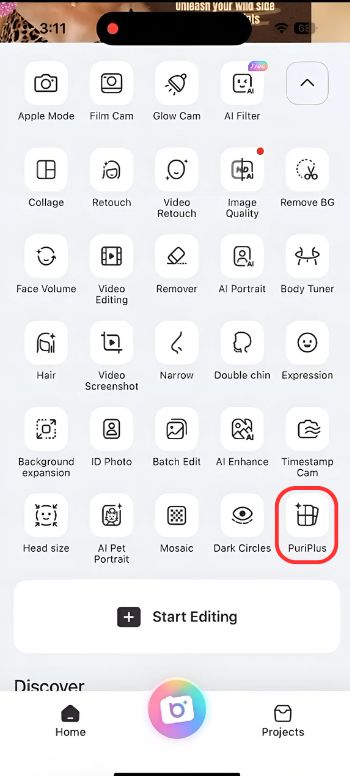
1. Open the BeautyPlus app and tap on the arrow to access more options. Then, tap on PuriPlus.
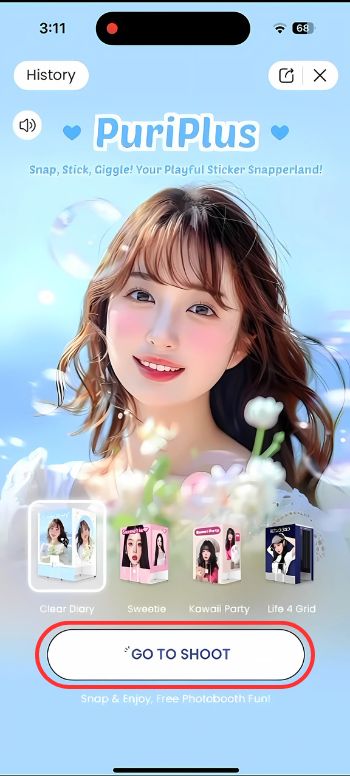
2. On the PuriPlus feature page, tap on the Go To Shoot button.
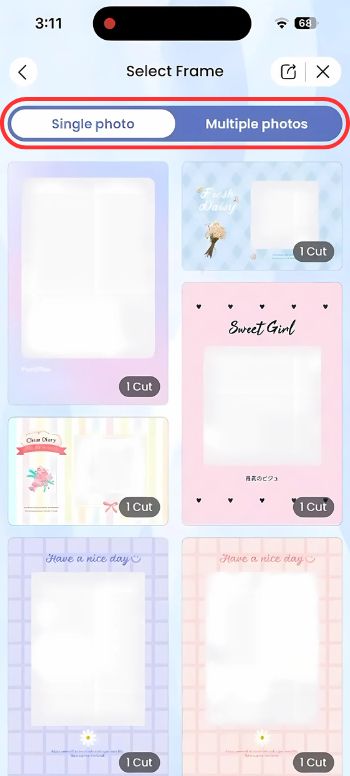
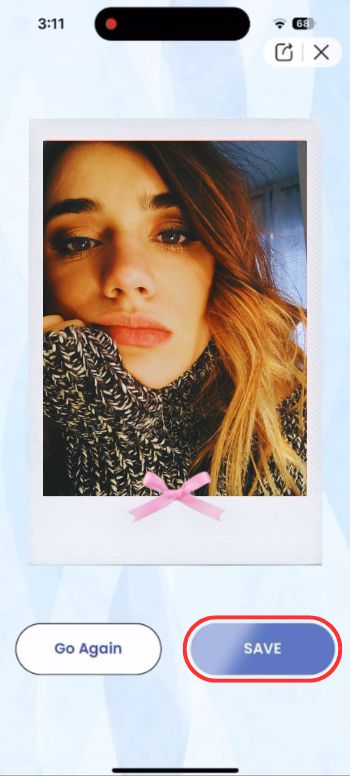
3. You can create a Polaroid photo or a photo strip by selecting either the single photo or multiple photos option. Choose a template for your photostrip/polaroid.
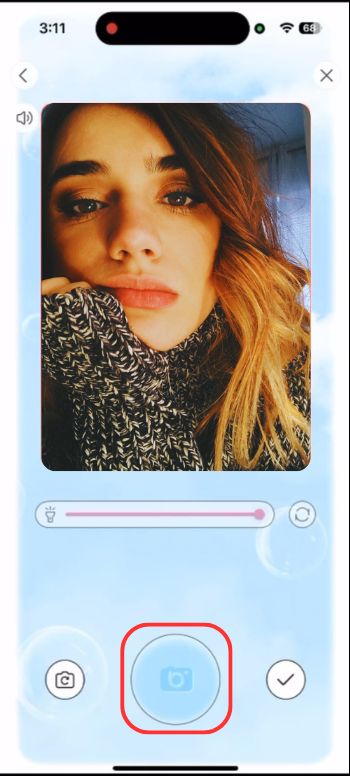
4. Pose and tap the capture button. The timer will start, and wait for the camera shutter to close. If it’s a Polaroid, once will do, and if it’s a photostrip, the shutter will close several times like an actual photobooth. Try different poses.
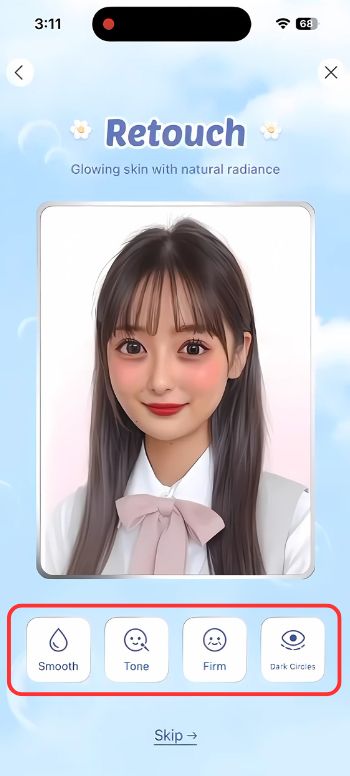
5. Retouch your photo and adjust the skintone and firmness, or remove any blemishes or dark circles.
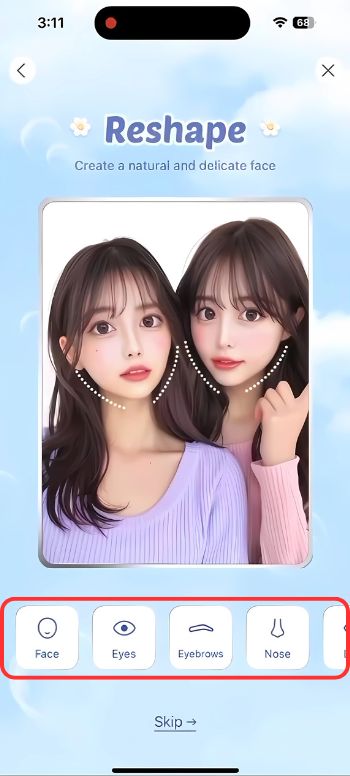
6. You can use Reshape to alter your features, such as eyes, nose, lips, etc.
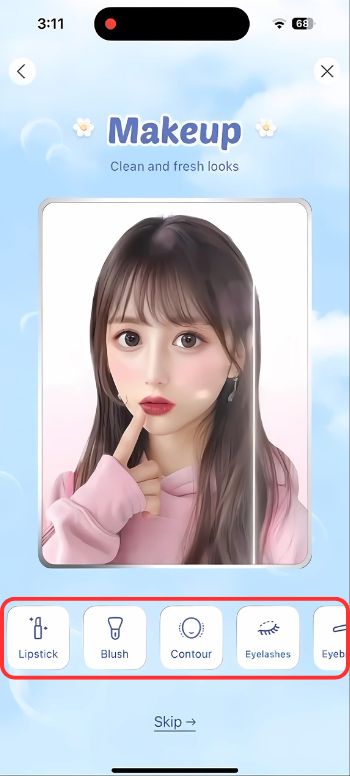
7. You can use the Makeup feature to virtually add makeup like eyeshadow, contour, blush, and much more.
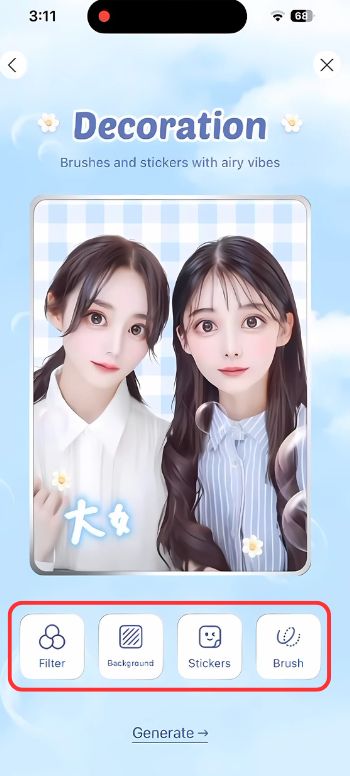
8. Finish up your photo with a few decorative stickers, filters, fun backgrounds, and drawings using the Decorations feature.
9. Once you’re happy with the result, tap Save to download your photostrip or polaroid.
Part 6: Template Styles You Can Try in BeautyPlus Photobooth
There are a couple of options to customize your photo strip, but there are a few popular options that you need to try out.
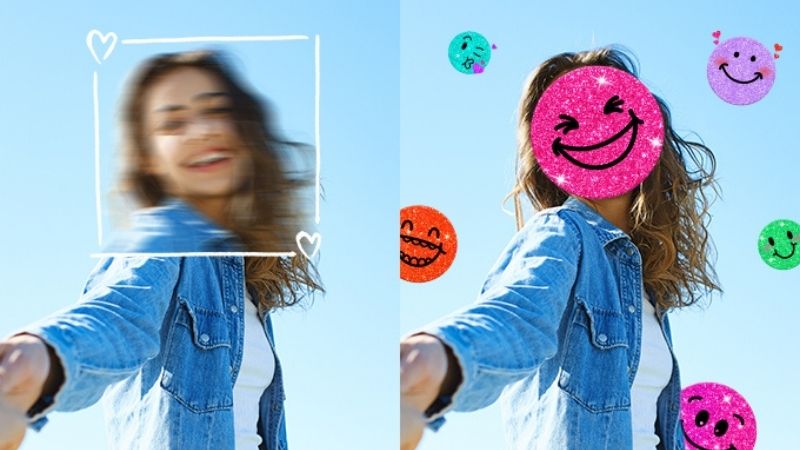
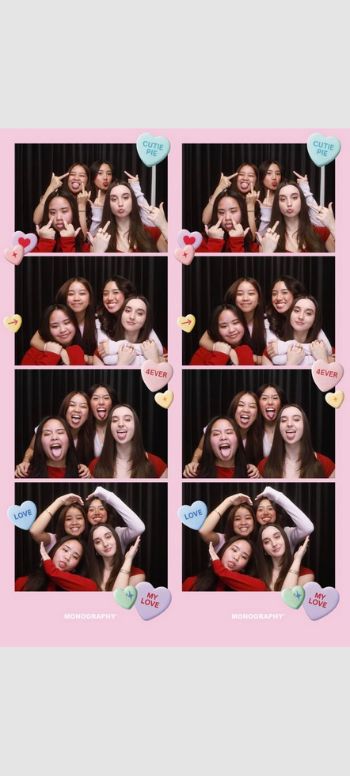
Playful and Cute
Visual traits
This template took the words “whimsical” and “vibrant” and made a complete photo strip template out of them, featuring bright colors, fun stickers, and cartoon designs that would make anyone smile the minute they see it.
Best for
The Playful and Cute template is best suited for casual selfies, fun posts for social media, and keepsakes after a family event or trip.
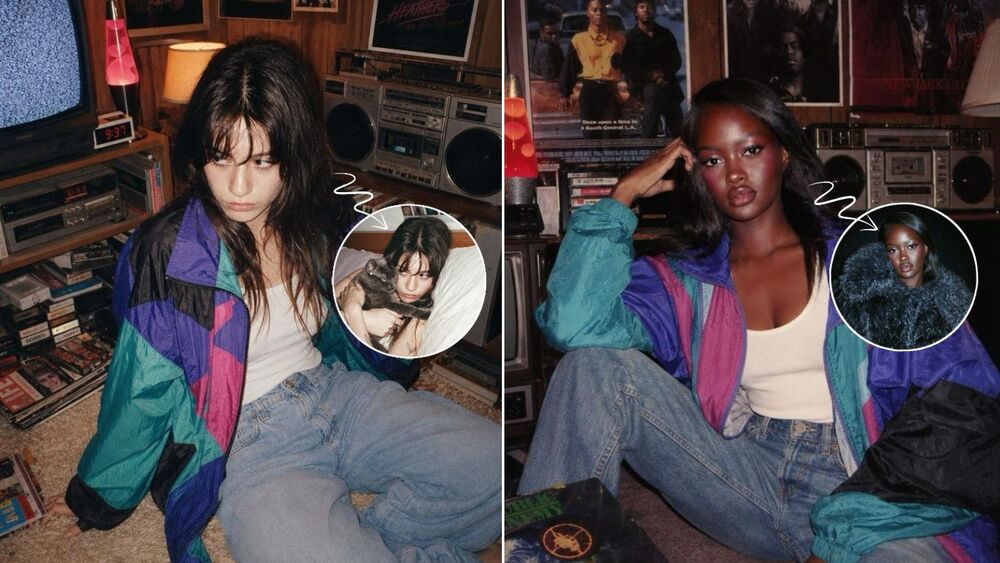
Retro & Vintage
Visual traits
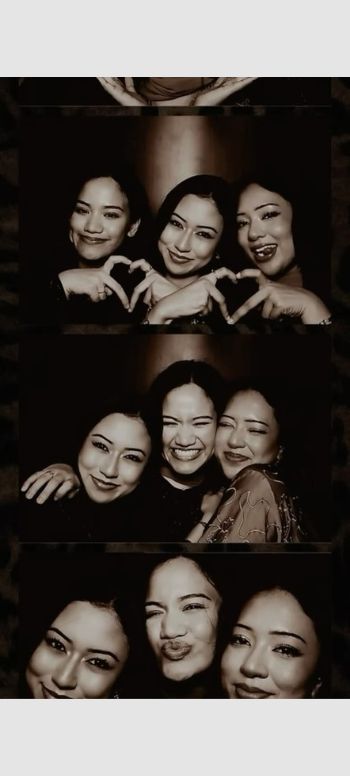
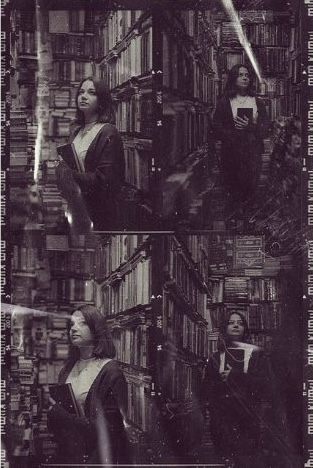
When you see someone with a retro-vintage aesthetic, you automatically assume they have a very interesting persona, and if you want to be that person, try this template. It features Film-like filters, grainy textures, and a classic 80s theme park feel.
Best For
Retro and Vintage templates are best suited for artsy portraits, street shots, and pair well with retro outfits.

Minimal & Aesthetic
Visual traits
The chic, minimal aesthetic never gets old, and neither does this template. It features clean layouts, soft pastel tones, and lots of white space.

Best For
The minimal and aesthetic template works great for lifestyle photos, solo portraits, and Instagram-style shots.
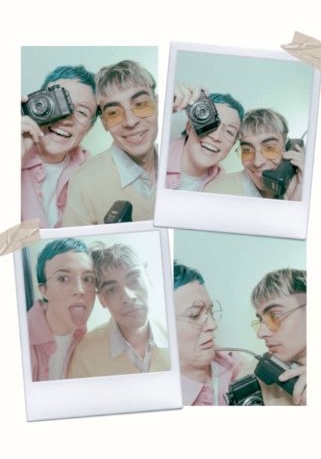
Trendy & cool
Visual traits
The name says it all. The trendy and cool template is all about making you stand out with dark-themed backgrounds, metallic, or glossy effects.
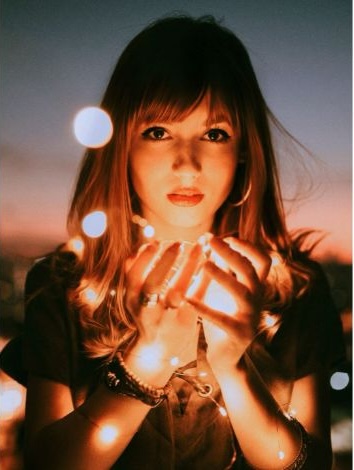
Best For
This one is recommended for fashion-forward photos, night shots, or even professional photography.
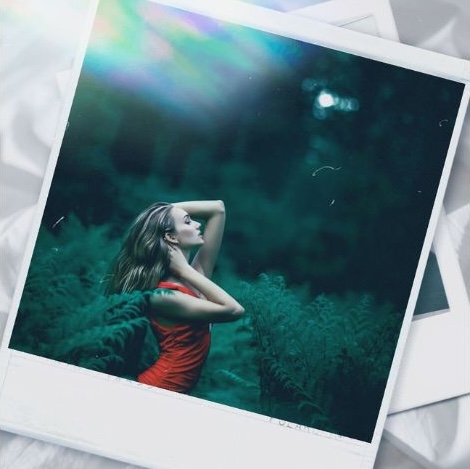
Bottom Line
Photo booths represent timeless fun. They remind us of a time when people lived fully in the moment and kept little souvenirs to remember their time. That is not a commentary on technology keeping us from living the same way; rather, technology allows us to have the same thing, just in a more convenient way. Online tools and apps like BeautyPlus can help us get in touch with that past without needing the same setup. It’s nostalgia reimagined for the digital age.