
3 Film Camera Filter Apps to Make Photos Look Like Film
Vintage camera phones are quite expensive given their rarity and the shortage of equipment or accessories for these cameras. The digital world, however, has created a hack that delivers similar results, cheaper, if not for free. Did they come up with cheaper cameras that have all the settings? Even better, apps that you can install to make your photos look exactly like film. These film camera filters by apps will help you make your photos look like film allowing you to live your life in the aesthetics of the late 1900s to the fullest.
 Download on App Store
 Get It on Google Play
How to Make Photos Look Like Film
These are some of the settings you can play around with from your phone editing menu to figure out how to make photos look like film.
1. Reduce Exposure
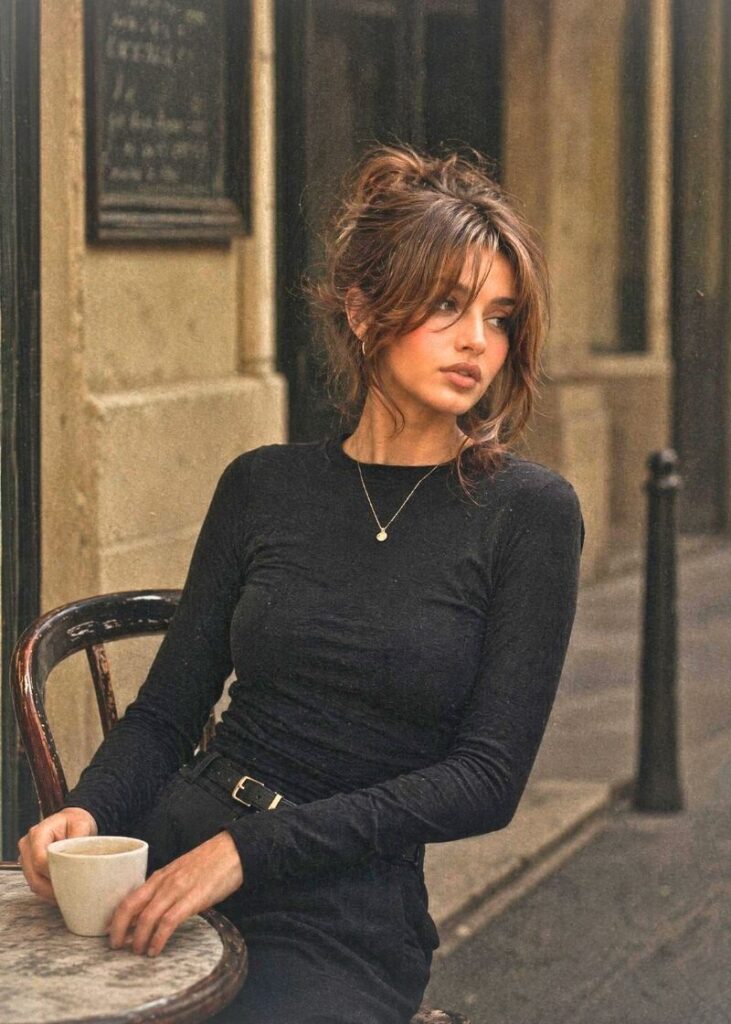
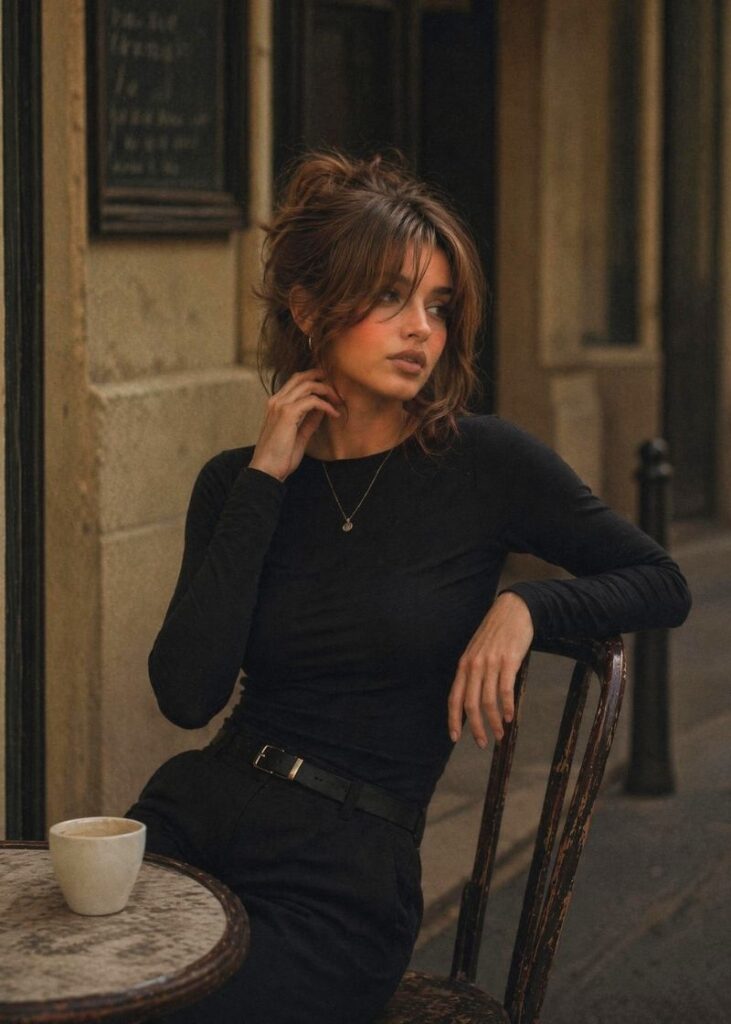
Film photos were seldom ever seen to be overexposed. They were more so known for their soft and muted brightness.
So you can tone down the exposure a bit because modern cameras tend to overexpose pictures just a little. Bringing the exposure down will not just bring you closer to the film effect, but also make the image more artsy and gloomy, which was often the main theme in vintage photos.
2. Add Grain to photo
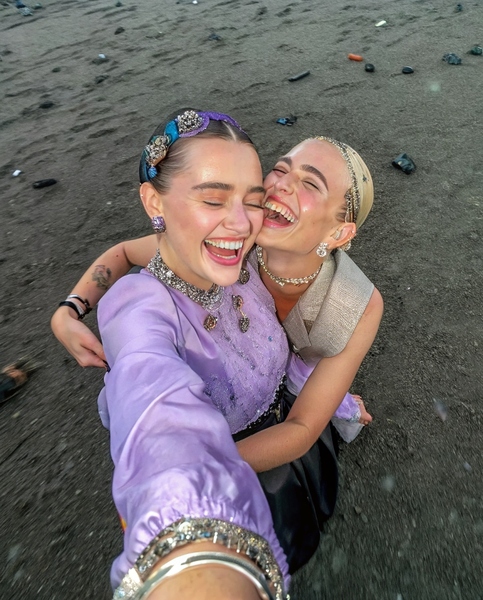
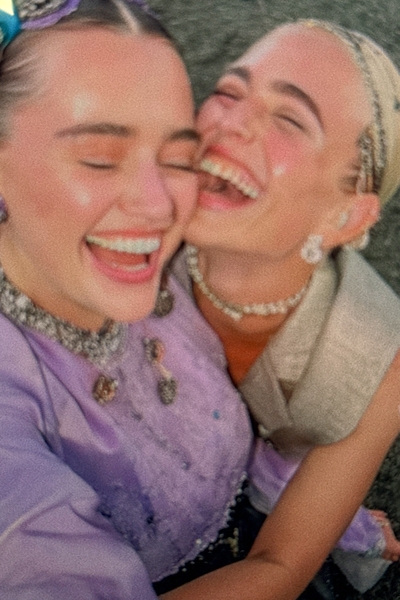
Film cameras tend to have those chemical particles in them that often get imprinted onto the image, creating grain that today is considered one of the key vintage camera features.
You can manually add grain to your photos using features that offer many different types of grain, which eventually adds more character to your images. There are levels of grain you can work with. Overdoing it with grain can make your image look too noisy, completely defeating the artistic essence behind the photo.
3. Dust
Dust is very different from grain. Grain is usually a monotonous layer of extremely tiny bits of particles on the photo, while dust appears as randomly placed specs or in the form of scratches. It’s pretty observable in older photos and adds charm and an artistic vibe to the photo. So, you can opt to add that to your photos too.


4. Sharpen
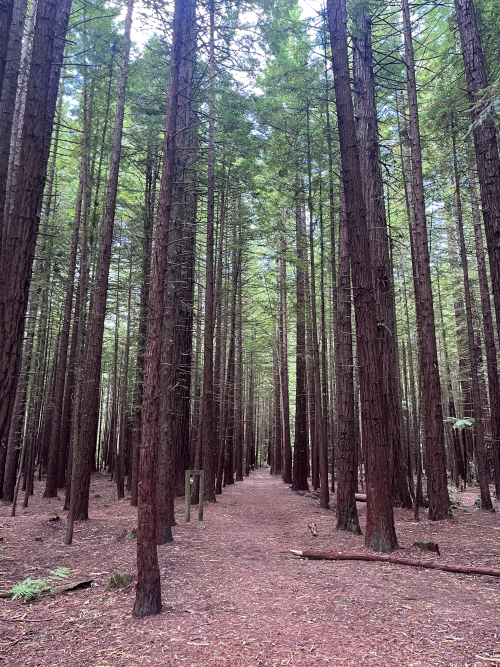
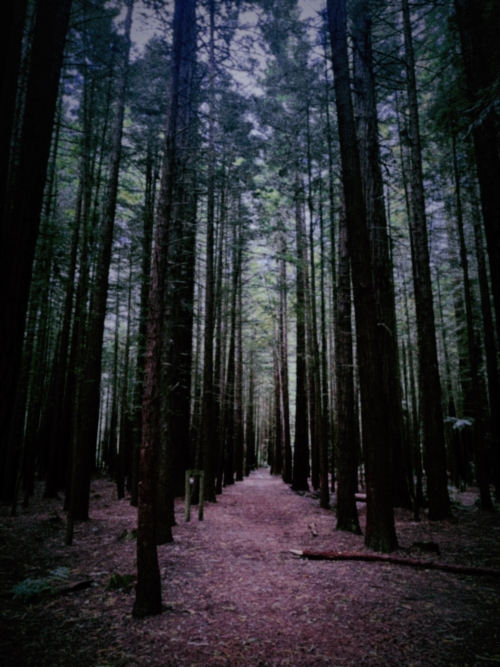
You know how the quality of photos today is really good, especially because the details in the pictures are razor sharp, more than ever before? Older cameras tended to lack that level of detailing in the photo.
So, to create a feel of film, reduce the overall sharpness of the photo. Or you can selectively blur out the background to give it a more analog feel.
5. Lower Contrast
Contrast enhances the already present colors in the photo, making them pop out even more. This is more normal in newer cameras than in old ones, which had softer tones. So you may want to lower the contrast a bit to create soft edges in the photo, giving you that subtle blend and nostalgic tone of old pictures.


6. Change Image Saturation
Saturation makes the colors a lot more vibrant than they really are. But since film photos are known and categorized by their subdued tones—where even the bright colors seemed muted—you may want to tone down the saturation a bit to create that soft, film-like photo effect.


Best 3 Film Camera Filter Apps
BeautyPlus
BeautyPlus is an incredibly famous photo editing and retouching tool that allows its users to achieve all kinds of photo edits without having to opt for a complex, hard-to-use, and pricey tool.
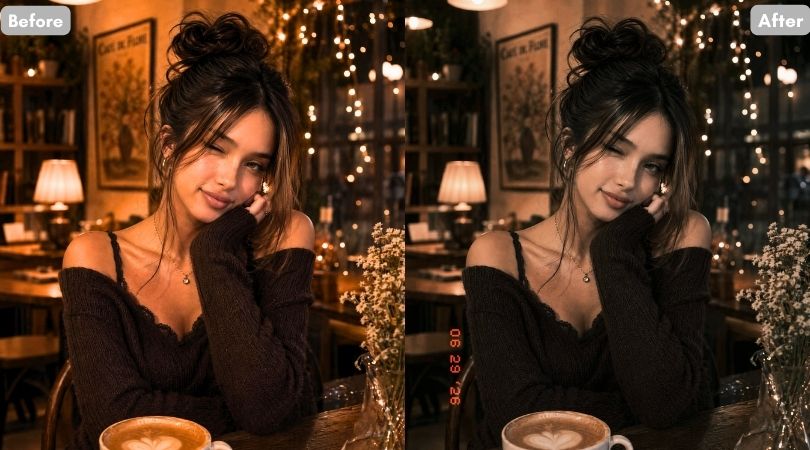
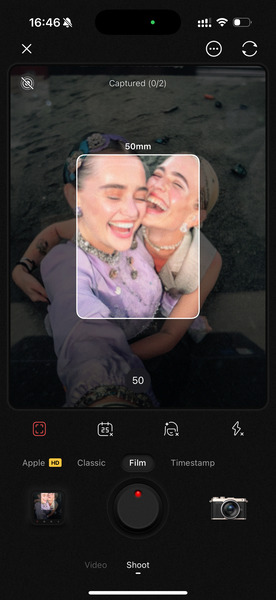
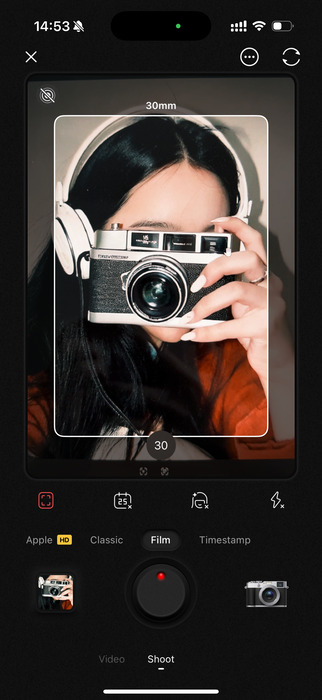
Recently, BeautyPlus introduced its Film Camera, a separate feature from its already existing digital camera filter, where you can explore all the vintage filters, including styles like CCD, Polaroid, DV, and more. It’s easy to use and perfect for those who want a quick yet professional-looking transformation. You can further adjust the settings of these filters to make them fit your unique aesthetic exactly how you want it to be.
Before and After
Pricing
- Monthly Plan: $5.99/month (Film camera is free)
- Annual Plan: $29.99/year
VSCO
VSCO is one of the few photo editing applications that focuses on the aesthetics of the photo, making your photography more automated in the sense that it achieves a very specific look. With minimal editing and effort, you can make a big difference in your photos and get a strong visual impact. Its film emulation presets are inspired by actual Kodak, Fuji, and Agfa stocks. These presets are what VSCO is notorious for, and many creators have solely depended on VSCO to create the visual vibe for their blogs.


Pricing
- Monthly: $7.99/month
- Annual: $29.99/year
Dazz Cam
Dazz Cam is another film camera filter app that lets you take pictures using its built-in camera tool. It’s more than just a film filter app, it allows you to choose specific camera styles so you can get photos that mimic the look of that exact camera. For example, if you want a Polaroid-style photo, you can select the Polaroid camera, add extra effects, and the result will closely match what you envisioned.


Pricing
- Monthly Plan: $4.99/month
- Annual Plan: $29.99/year
How to use BeautyPlus Film Camera
1. Open BeautyPlus application on your device, it is available across both Android and iOS.
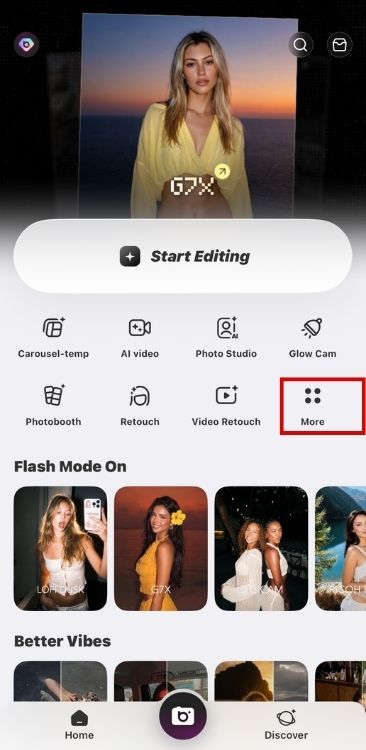
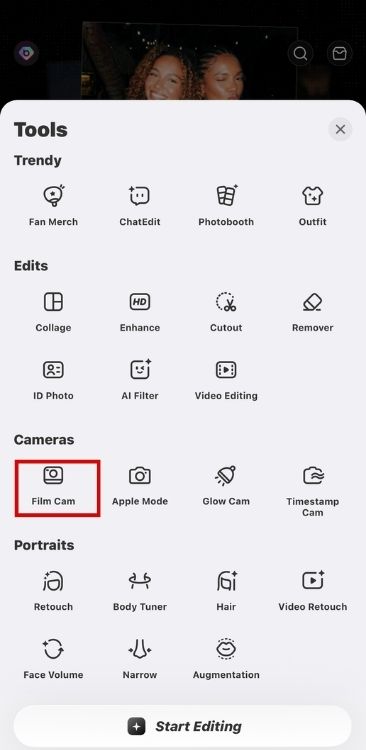
2. Tap on “More” of the homepage. Then among the features on the page, tap on “Film Cam” to open the film camera.
3. You can choose to take a photo right away or apply filters to existing photos.
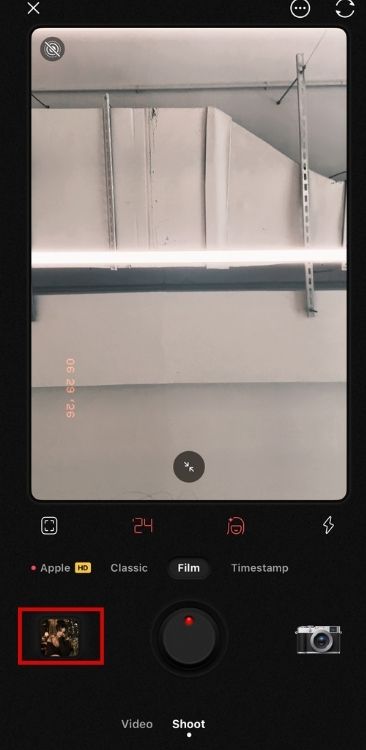
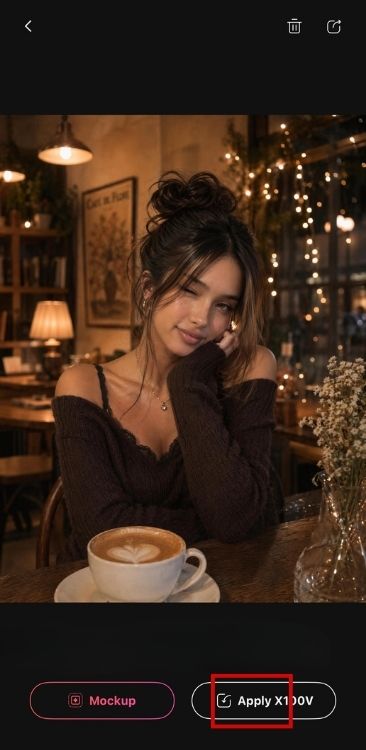
4. Now, tap “Apply” to add the filter.
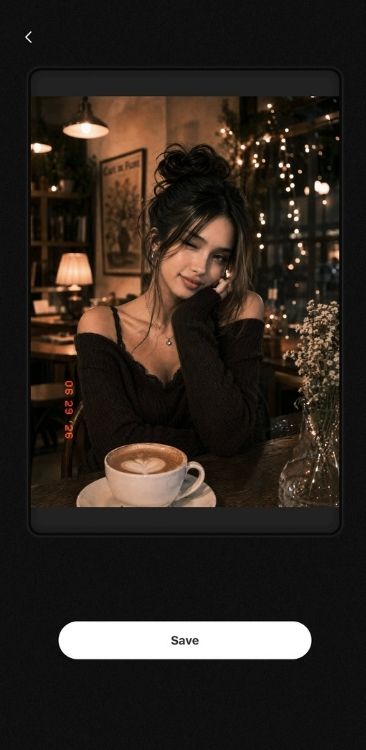
5.Save the result
FAQs
A: BeautyPlus is widely considered one of the best film filter camera tools. The app accurately recreates authentic film tones, grainy textures, and light leaks inspired by classic cameras, making it incredibly easy to achieve a nostalgic aesthetic with just one tap.
A: To choose the right film filter camera, look for an app that offers a wide variety of vintage styles, like 90s disposable or warm cinematic looks. Make sure it lets you easily adjust authentic details like grain and light leaks, and features an intuitive interface with real-time previews so you can see your retro effects instantly.
Bottom Line
While modern-day cameras fill in the defects and lacking of the older cameras, enhancing the colors, removing the grain effect, and making the pictures ever so more detailed, the true artistic charm lies in the art of recognizing the beauty in any photo. Vintage cameras were known for capturing that to its fullest capacity, capturing not just a moment but the emotions and the feel behind the photo.