


Free Online ASCII Art Generator: Turn Your Images into Stunning Text Art

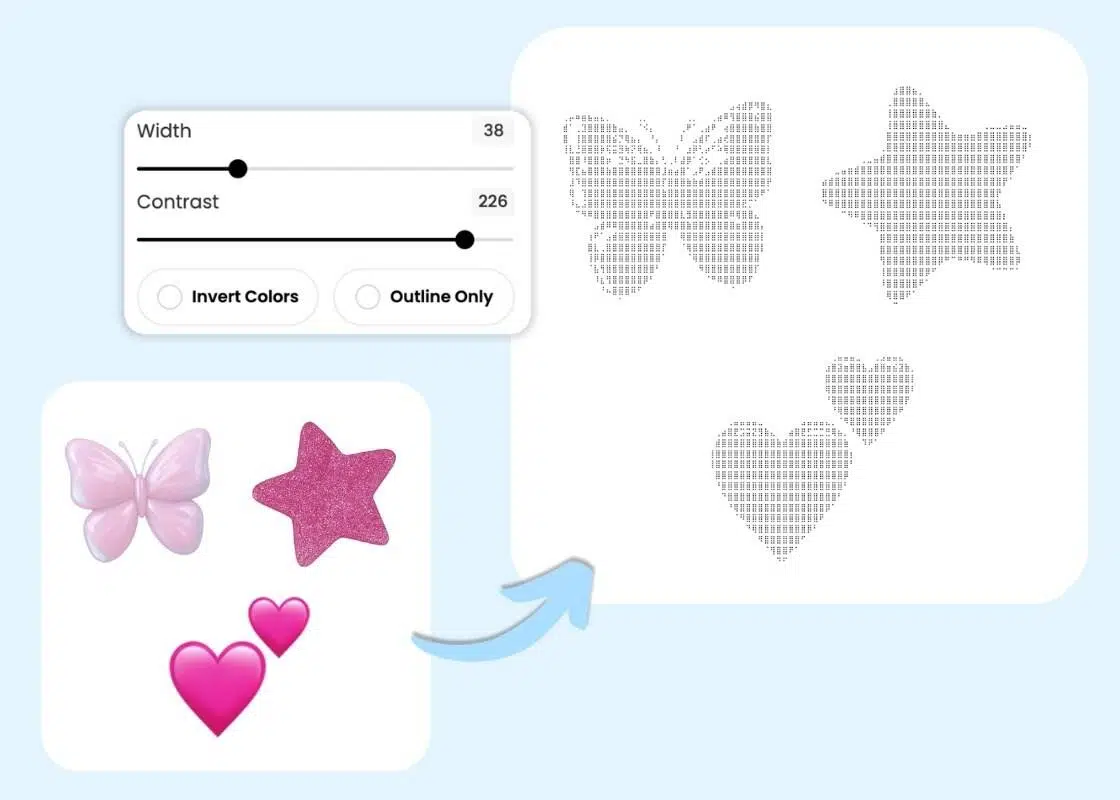
Instant ASCII Art Maker with Precise Tuning
Stop struggling with messy pixels that are hard to recognize. BeautyPlus provides a clean ASCII image converter that respects the actual shapes in your photos. Use the Contrast slider to balance details or the Invert Color tab to isolate the main subject. This dot art generator works across all display modes for consistent results.

Create Trending Y2K-Style Dot Art Stickers
Inspired by "Rei-style" edits trending among idols, this BeautyPlus ASCII art maker turns cute symbols into graphic layers. Convert hearts, bows, or stars images into text art and overlay them on your selfies. This ASCII art creator helps you catch up with the trending aesthetic without needing any complex design software or special skills.
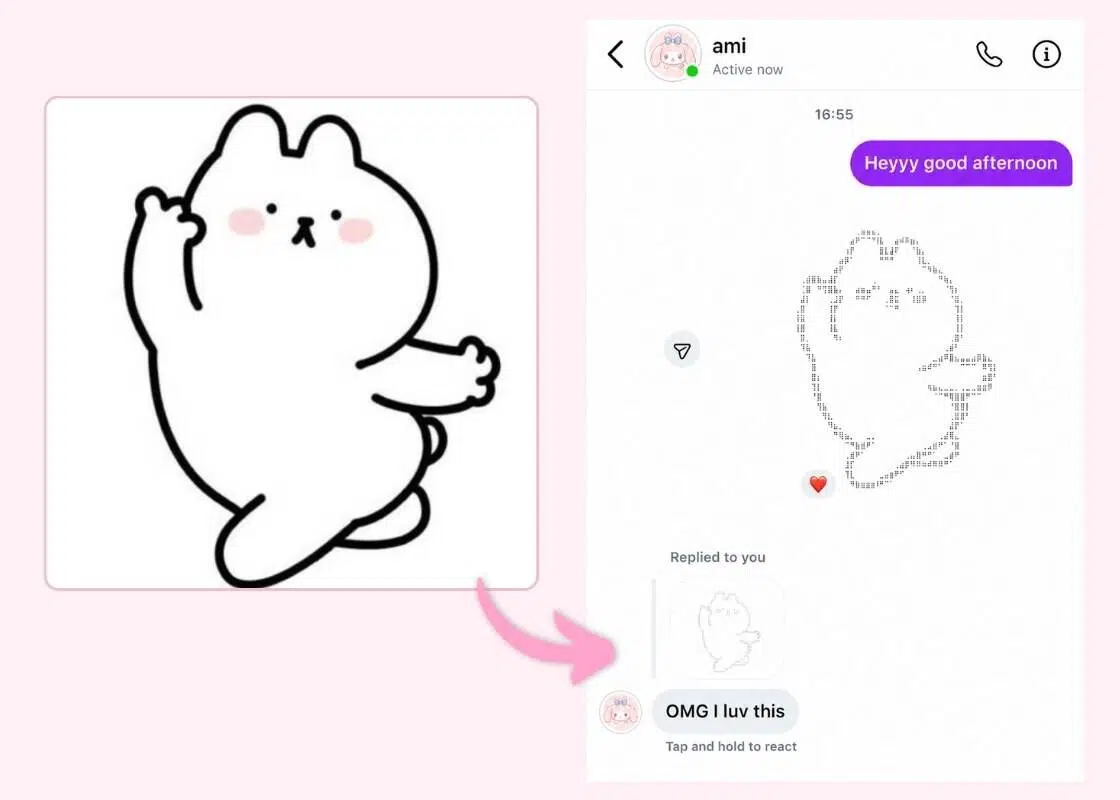
Copy and Paste ASCII Art for Social Media
No longer worry about your text art breaking when you post on X or Discord. This BeautyPlus text art generator is built to keep your copy-and-paste dot art perfectly aligned across different platforms. Instantly convert an image to dot text to share unique text dot art in any comment section. It’s a creative way to boost engagement and grab more attention.
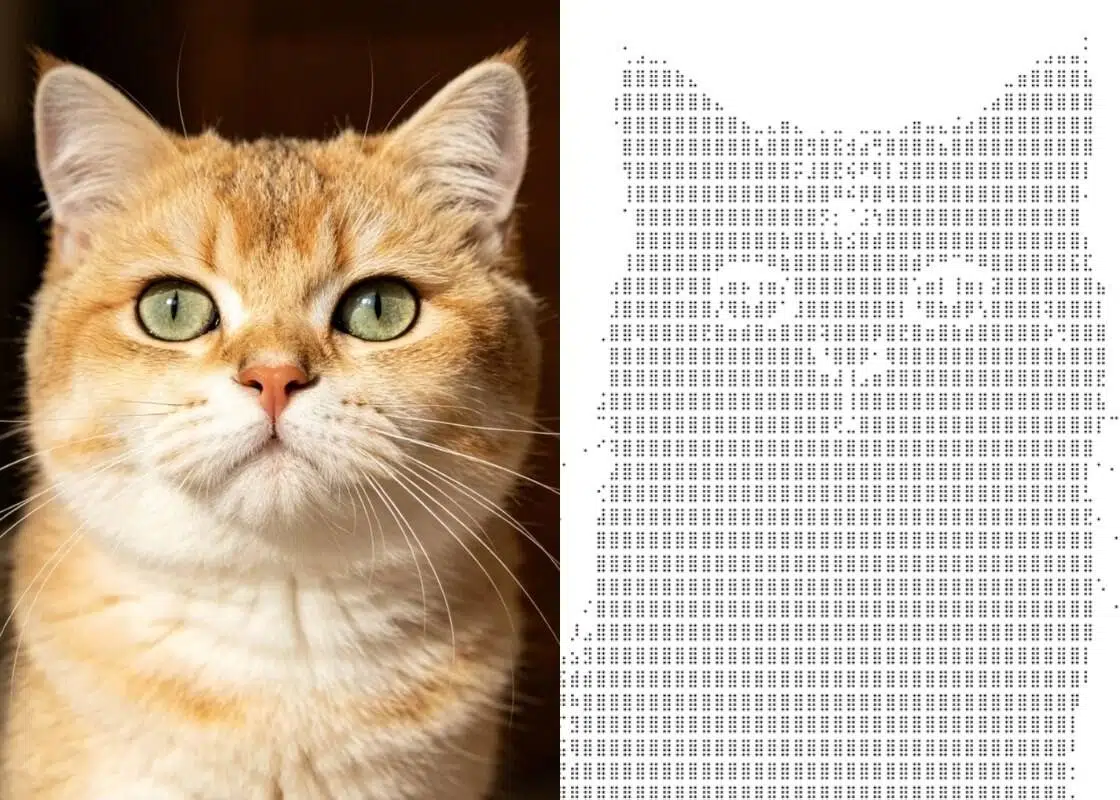
Turn Portraits and Pets into Dotted Art
While most tools only work for simple logos, BeautyPlus’s image-to-dot art generator captures the details of your portrait or pet. Our AI maps out facial features and fur into sharp ASCII dot patterns, creating a unique dotted picture that looks like the original. Easily turn images into text art to give your favorite memories a creative, digital-retro vibe.
How to Convert Your Images into ASCII Art?
Upload Photo
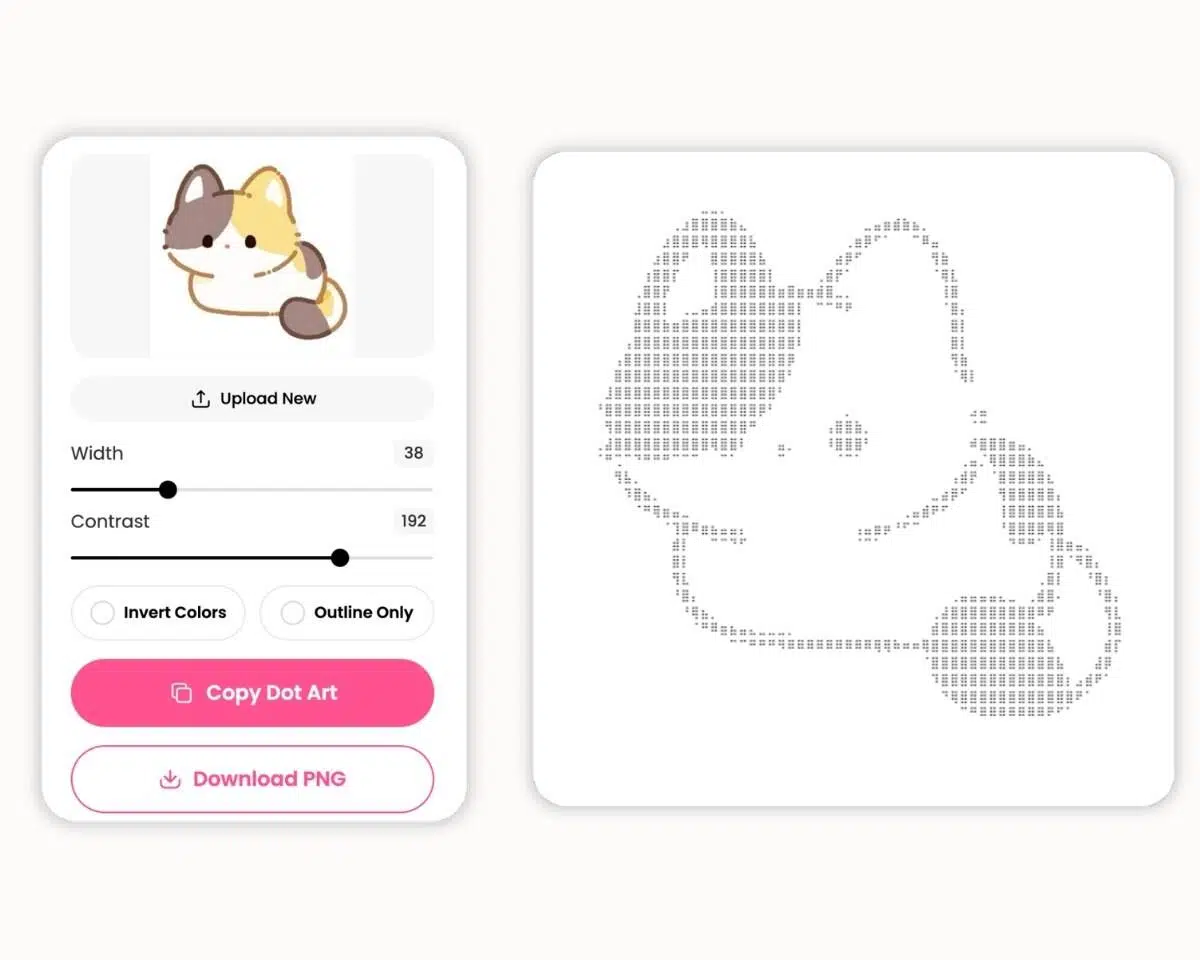
Upload your photo to the dot image generator and let the AI map out the edges for you.
Adjust ASCII Style
Use the Contrast slider or toggle Invert Colors to find the perfect ASCII art look.
Copy and Share
Hit Copy Dot Art to instantly convert pictures to ASCII art. Paste it anywhere online!
FAQs
What is BeautyPlus ASCII Art Generator?
Can I use this dot art maker for free?
Yes! You can convert image to text art for free every day. It is the easiest way to generate unique, text-based content for any social media post.
Will my dot art break on Discord or X?
No. This text art generator is optimized for platform compatibility, ensuring your copy and paste dot art stays perfectly aligned on both mobile and desktop.
How do I create "Rei-style" ASCII art edits?
Simply convert image to dots text using motifs like hearts or butterflies, then overlay that text onto your photo for a trending Y2K aesthetic.
What does the Outline Only feature do?
It focuses on the edges of your subject rather than the fill. This is perfect for creating clean, minimalist dot drawings.
Is my data safe with this ASCII art creator?
Absolutely. We never store your photos or use them for AI training. All images are deleted automatically after you turn image into text art.
More Online Photo & Video Editing Tools

Glow Cam

AI Body Editor

AI Portrait Generator

Rate Your Face for Free with AI


Turn Your Photos into ASCII Art Now
Convert image to dots and stand out online. Use our image to text art generator to turn your favorite photos into unique dot pictures for free.
User Reviews
I’ve been obsessed with the Y2K aesthetic lately. I use this image to ASCII art tool to make custom stickers for my photo edits. Adjusting the Contrast makes the final text art look so sharp. It's perfect for getting that idol-style look.
Finding a good dot art generator for Twitch or Discord is tough. This one is perfect. I just hit Copy Dot Art and paste it into the chat. It stays aligned every time. My followers love seeing these copy and paste dot art posts.
I'm impressed by how this online ASCII art generator handles fine details. I turned a photo of my cat into a dot drawing in seconds. The Outline Only feature keeps everything clean. It’s a very straightforward ASCII art maker.
I use this ASCII art generator for my Discord announcements. It turns logos into text art instantly, and the Outline Only mode keeps it looking clean and professional. Perfect for copy-pasting!